Above is the mock up I did for my contents page on Photoshop, I did it similar to the way I did my front cover, I used the rectangle tool to create the boxes, but as this is a draft I'm not sure if I will use this exact template, as I wanted my contents page to not have a lot of images and stuff involved, to the left is a colour code of what each box is.
Thursday, 27 November 2014
Contents Page Draft
Above is the mock up I did for my contents page on Photoshop, I did it similar to the way I did my front cover, I used the rectangle tool to create the boxes, but as this is a draft I'm not sure if I will use this exact template, as I wanted my contents page to not have a lot of images and stuff involved, to the left is a colour code of what each box is.
Wednesday, 26 November 2014
Front Cover Page Mock Up
Above is a mock up of what I want my front cover to look like, to create this I went on to Photoshop and after creating a new page I then used the rectangle tool to create the boxes to show where I want things going and I did the same to create the colour code which is to the left. Though this is my final draft for the cover, I may not keep the headline ect on the right side.
Drawn Draft

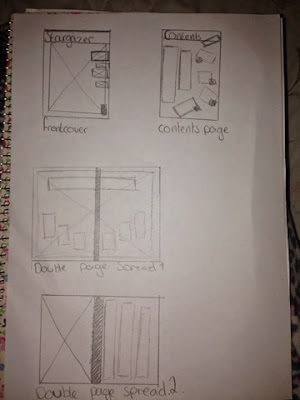
This is a draw draft of my font cover, contents page and double page spread which there are two ideas for, I will also make a draft on Photoshop for each one so it is easier to see and so you can understand which bit is which.
Tuesday, 25 November 2014
Subscribe to:
Posts (Atom)